

Power Automate transformed from Microsoft Flow to address enterprise-grade automation needs while maintaining SME accessibility. This rebranding wasn’t cosmetic—it introduced AI-powered process mining, desktop RPA capabilities, and industry-specific templates that deliver outcomes like 70% faster lead qualification in real estate and 35% improved guest satisfaction scores in hospitality. Real estate and fundraising are two verticals where these automation outcomes are especially impactful for SMEs.
For mid-market leaders, Power Automate offers immediate value through its 30-day free trial and sub-30-minute setup for basic workflows. Unlike enterprise platforms requiring months of implementation, you can deploy guest upselling flows or recruitment screening automation within hours. The platform integrates with existing CRM and ATS systems without the rip-and-replace approach that disrupts operations. For a broader overview of how automation can transform your business, visit about Vynta AI and its industry-specific solutions.
| Aspect | Microsoft Flow (Legacy) | Power Automate (Current) |
|---|---|---|
| Primary Focus | Basic workflow automation | AI-powered process optimization |
| SME Implementation | Manual setup, limited templates | Industry templates, 30-minute deployment |
| ROI Timeline | 6-12 months | 30-90 days with measurable KPIs |
Core Components of Power Automate – Building Blocks for Revenue-Focused Automation in Your Vertical

Power Automate operates on three fundamental components: triggers (events that start workflows), actions (tasks performed automatically), and conditions (logic that determines workflow paths). In real estate, a trigger might be a new lead entering your CRM, the action sends personalized property recommendations, and conditions qualify leads by budget and location preferences before routing to appropriate agents.
Cloud flows handle scalable, web-based automation perfect for hospitality reservation management or fundraising investor outreach. Desktop flows provide RPA capabilities for legacy systems—essential when your recruitment ATS lacks modern API connectivity. Process mining scans existing operations to identify bottlenecks, revealing opportunities like 50% time savings in fundraising follow-up sequences.
The human-AI collaboration model ensures your teams remain central to relationship building while automation handles repetitive tasks. Donor relations require nuanced communication that humans excel at, while AI manages routine acknowledgments, tax documentation, and follow-up scheduling. This augmentation approach preserves the personal touch that defines successful hospitality and fundraising operations.
Implementation starts with mapping your three most time-consuming repetitive processes using Power Automate’s built-in process mining tool—a 15-minute exercise that typically reveals automation opportunities worth 20-40 hours monthly. Test simple trigger-action pairs first, like automated guest check-in confirmations that reduce no-shows by 20%, before advancing to complex conditional workflows for high-RevPAR upselling sequences.
How Power Automate Delivers Measurable ROI – Real Outcomes for Real Estate, Recruitment, Fundraising, and Hospitality
Time savings represent Power Automate’s most immediate ROI driver, with SMEs typically recovering hundreds of hours annually through automated screening, qualification, and follow-up processes. Recruitment agencies report screening time reductions of 50-70%, while real estate teams achieve 3x faster lead response times through automated property matching and initial qualification workflows.
Cost reductions emerge through legacy system optimization rather than expensive replacements. Power Automate’s desktop RPA capabilities automate existing hospitality PMS or recruitment ATS interfaces, delivering 30-90 day ROI compared to 6-12 months for platform migrations. This approach preserves existing investments while adding automation capabilities that would otherwise require custom development.
Vertical-specific outcomes demonstrate Power Automate’s business impact: real estate lead conversion rates improve 40-70% through automated nurturing sequences, hospitality operations see double-digit guest satisfaction increases via personalized service automation, and fundraising organizations triple qualified investor meetings through systematic outreach workflows. These improvements stem from consistency and speed that manual processes cannot match.
Revenue optimization occurs through AI-powered insights that identify process improvements human analysis might miss. Donor retention patterns, guest preference trends, and candidate placement success factors become visible through automated data collection and analysis, enabling strategic decisions based on comprehensive operational data rather than intuition.
| Vertical | Key Metric | Typical Improvement | ROI Timeframe |
|---|---|---|---|
| Real Estate | Lead Conversion Rate | 40-70% increase | 60-90 days |
| Recruitment | Time-to-Hire | 50% reduction | 30-60 days |
| Fundraising | Qualified Meetings | 200% increase | 90-120 days |
| Hospitality | Guest Satisfaction | 15-25% improvement | 45-75 days |
Power Automate vs. Vynta AI – Generic Platform or Industry-Specific Automation for SMEs?
Time-to-ROI represents the critical differentiator for resource-constrained SMEs evaluating automation platforms. Power Automate requires 3-6 months for custom workflow development, testing, and optimization before delivering measurable business outcomes. Vynta AI deploys pre-built, industry-specific agents within 30-90 days, leveraging proven templates for real estate lead qualification, recruitment candidate matching, and hospitality guest experience optimization. Recruitment candidate matching is one of the areas where Vynta AI’s pre-built agents deliver rapid results.
Integration depth determines implementation complexity and operational disruption. Power Automate offers 1,000+ connectors across business applications, requiring technical expertise to configure optimal workflows. Vynta AI provides zero-rip-and-replace integration with existing real estate CRMs, recruitment ATS platforms, and hospitality PMS systems, preserving current investments while adding AI capabilities through purpose-built connectors.
Vertical expertise shapes automation effectiveness and business relevance. Power Automate delivers broad workflow capabilities suitable for general business processes across industries. Vynta AI specializes in revenue-critical processes specific to real estate property matching, recruitment talent acquisition, fundraising investor relations, and hospitality revenue optimization, incorporating industry best practices and compliance requirements into pre-configured automation logic. For a full list of industry solutions, see services offered by Vynta AI.
Human-AI collaboration models reflect different automation philosophies and operational approaches. Both platforms emphasize augmentation over replacement, but Vynta AI incorporates human-in-the-loop workflows essential for compliance-sensitive industries like fundraising and hospitality guest services. Choose Power Automate for DIY exploration and broad automation needs; select Vynta AI for strategic partnership delivering KPIs like RevPAR growth, placement rates, and donor retention through industry-optimized AI agents.
Step-by-Step: Creating Your First Power Automate Workflow for Business Processes
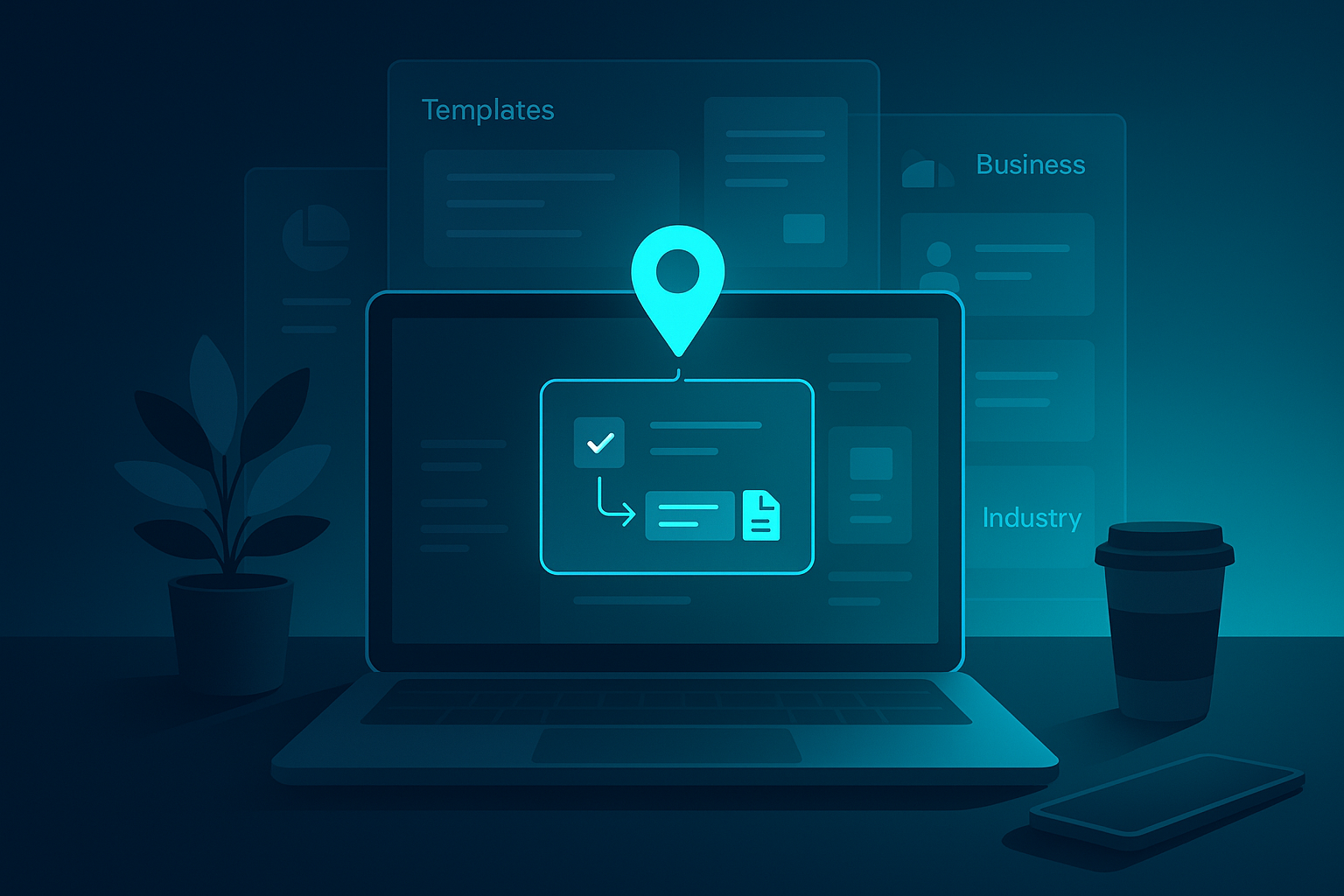
Navigate to the Power Automate home page and explore the template gallery organized by business function and industry vertical. Pin frequently used templates like approval workflows for fundraising proposals or document processing for real estate contracts to streamline future workflow creation. The template approach reduces development time from hours to minutes for common business processes.
Choose your build approach based on complexity and timeline requirements. Start from scratch for unique processes requiring custom logic (typically 5-7 configuration steps), deploy pre-built templates for standard workflows (under 3 minutes), or leverage Copilot’s natural language interface for rapid prototyping by describing desired automation in plain English, such as “automate candidate scheduling when new applications arrive.”
Implement a practical hospitality scenario: create an approval workflow triggered by high-value guest bookings, add conditions to identify VIP status or special occasions, then configure actions to automatically offer room upgrades or personalized amenities. This workflow demonstrates trigger-condition-action logic while delivering immediate revenue optimization through systematic upselling.
Configure advanced data transformation for complex scenarios like property matching reports that combine CRM data, market analytics, and client preferences. Use Power Automate’s expression builder to manipulate data formats, calculate derived values, and format outputs for seamless integration with existing reporting systems. Test workflows in development environments before deploying to production operations.
Integrate Microsoft 365 services to enhance workflow capabilities and team collaboration. Configure Teams notifications for urgent lead qualifications, SharePoint document updates for completed recruitment processes, or Outlook calendar scheduling for automated investor meeting coordination. These integrations create comprehensive automation ecosystems that span your entire business technology stack.
Deploy approval templates for time-sensitive processes like investor pitch reviews—a 5-minute setup that routes proposals through stakeholder approval chains with automated notifications and deadline tracking. Refine Copilot-generated workflows through iterative testing, adjusting conditions and actions based on real-world performance data and user feedback to optimize business outcomes.
Advanced Features – Copilot, RPA, and Scaling for Enterprise-Grade SME Operations
Copilot integration transforms workflow creation through AI-powered authoring that reduces development time by 50% while improving automation quality and business relevance. Generate complex fundraising email sequences, candidate screening workflows, or guest personalization logic by describing requirements in natural language. Copilot translates business objectives into technical workflow configurations, eliminating the learning curve that traditionally limits SME automation adoption.
Desktop flows provide RPA capabilities essential for legacy system automation in traditional industries. Automate desktop applications like older hotel management systems or recruitment databases that lack modern API connectivity. RPA bots interact with existing interfaces through screen automation, preserving current system investments while adding automation capabilities that would otherwise require expensive platform migrations.
Process mining combined with AI Builder delivers predictive insights that optimize business operations beyond basic automation. Analyze historical data to predict recruitment candidate no-shows, identify guest booking trends, or forecast donor engagement cycles. These insights enable proactive process improvements that drive measurable business outcomes across all four verticals.
Best Practices and Common Pitfalls – Optimizing Power Automate for Long-Term Wins
Successful Power Automate implementation requires strategic environment management and proactive error handling. Set up separate development, testing, and production environments within your first week to prevent costly mistakes from impacting live operations. This 10-minute configuration protects your real estate lead flows or hospitality reservation systems from testing errors.
Exception handling represents the most common implementation failure. Build robust error queues with AI-powered retry logic to maintain 99% uptime during peak seasons. For recruitment agencies processing hundreds of applications, automated error recovery prevents candidate screening bottlenecks that could cost placements.
Performance Optimization: Monitor flow performance through the 360-degree analytics dashboard, especially during high-volume periods like fundraising campaign launches or hospitality booking surges. Optimize trigger frequency and batch processing to handle seasonal demand spikes.
Data loss prevention (DLP) policies ensure compliance when handling sensitive donor information or guest data. Configure these policies before processing any personal information to avoid regulatory issues. Use the built-in flow checker to resolve 80% of common issues instantly, and integrate Power BI dashboards to track KPIs like placement rates or conversion metrics across your automated workflows. For more technical best practices, see the official Microsoft Power Automate documentation.
Power Automate Pricing, Licensing, and When to Choose Vynta Instead

Power Automate offers a 30-day premium trial followed by per-user licensing starting at $15/month for basic automation. Process licenses enable unattended bot operations ideal for high-volume recruitment screening or property matching workflows. Enterprise-grade features require higher-tier licensing that can scale costs significantly for growing SMEs.
| License Type | Cost Basis | Best For | Vertical Example |
|---|---|---|---|
| Per User | $15-40/month | Individual automation | Real estate agent workflows |
| Per Flow | $100/month | Shared processes | Hotel reservation confirmations |
| Process License | $150/month | Unattended bots | Candidate screening automation |
| Premium | Custom pricing | Enterprise features | Multi-location fundraising |
Vynta AI delivers superior value for mid-market SMEs requiring 70% faster lead qualification without dedicated IT teams. While Power Automate demands ongoing configuration and maintenance, Vynta provides industry-specific agents with guaranteed ROI timelines. Calculate total ownership costs including implementation time, training, and ongoing optimization when comparing platforms for your strategic automation investment. For more information, visit the Vynta AI homepage.
Top Use Cases, Templates, and Next Steps – Templates Tailored to Your Industry
Power Automate’s template gallery includes pre-built workflows for common business processes. The approval template deploys fundraising pitch reviews in under 3 minutes, while document processing templates handle real estate contract automation. These templates provide starting points but require customization for industry-specific requirements. For a deeper dive into automation ROI, read the Total Economic Impact of Microsoft Power Automate.
High-impact use cases demonstrate measurable outcomes across verticals. Recruitment agencies achieve 10x faster candidate touchpoints through automated screening workflows. Hospitality businesses reduce no-shows by 20% using guest confirmation sequences. Real estate teams accelerate lead response times from hours to minutes with trigger-based notifications.
The platform’s 1,000+ connectors enable integration with existing ATS, PMS, and CRM systems without replacement costs. Popular connectors include Salesforce for real estate, BambooHR for recruitment, and major hospitality management platforms. However, connector limitations may require custom development for specialized industry tools.
Next Steps: Deploy the “new lead notification” template in 3 minutes to test basic functionality. Customize guest personalization workflows for immediate hospitality wins. For comprehensive automation strategy, book a Vynta AI discovery session to develop a custom agent roadmap aligned with your specific vertical requirements and ROI targets.
The Verdict: Choosing the Right Automation Platform for Your SME
Understanding what is the Microsoft automation tool called – Power Automate – provides the foundation for informed automation decisions. This platform excels for organizations with existing Microsoft ecosystems and internal technical resources to manage ongoing optimization. The low-code approach democratizes basic automation while advanced features support enterprise-scale operations.
Power Automate’s strength lies in its broad connectivity and integration capabilities across diverse business applications. For SMEs with varied automation needs spanning multiple departments, the platform’s flexibility justifies the learning curve and maintenance requirements. The extensive template library accelerates initial deployment for common business processes.
However, mid-market businesses in real estate, recruitment, fundraising, and hospitality often achieve faster ROI through industry-specific solutions. Vynta AI’s vertical expertise delivers pre-configured agents that understand sector nuances – from property matching algorithms to donor retention strategies – without requiring extensive customization or ongoing technical management.
The decision ultimately depends on your organization’s technical capacity and strategic priorities. Choose Power Automate for broad automation exploration with dedicated IT support. Select Vynta AI for guaranteed outcomes in lead conversion, placement efficiency, fundraising ROI, or guest satisfaction metrics. Both platforms augment human capabilities, but Vynta’s industry focus ensures measurable business transformation from day one.
Future automation success requires platforms that evolve with changing business needs and industry dynamics. Partnering with a provider that understands your sector and delivers measurable outcomes will position your SME for long-term growth and operational excellence.
Frequently Asked Questions
What are the key differences between Microsoft Flow and Power Automate in terms of features and ROI for SMEs?
Power Automate evolved from Microsoft Flow by adding AI-powered process optimization, desktop robotic process automation (RPA), and industry-specific templates that drive faster, measurable outcomes. For SMEs, this means improved ROI through automation that accelerates lead qualification, guest satisfaction, and operational efficiency—often delivering results 30-90 days post-implementation compared to Flow’s more basic workflow capabilities.
How does Power Automate integrate with existing CRM and ATS systems without disrupting current business operations?
Power Automate connects seamlessly with existing CRM and ATS platforms via low-code connectors, enabling workflow automation without requiring system replacements or major IT overhauls. This approach preserves current business processes while augmenting them with automation, minimizing disruption and accelerating time-to-value for mid-market SMEs.
What are the core components of Power Automate workflows and how do they apply to industries like real estate and hospitality?
Power Automate workflows consist of triggers, actions, and conditions that automate repetitive tasks such as lead follow-up in real estate or reservation confirmations in hospitality. These components enable tailored automation—like automatically qualifying property leads or sending personalized upsell offers to guests—enhancing efficiency and customer engagement in industry-specific contexts.
How quickly can SMEs expect to see measurable ROI after implementing Power Automate workflows?
SMEs typically begin to see measurable ROI within 30 to 90 days after deploying Power Automate workflows. This rapid impact is driven by automation of high-value processes such as lead qualification, candidate screening, investor outreach, or guest experience management, which directly improve conversion rates, operational efficiency, and customer satisfaction.
About The Author
Anas Moujahid is the chief contributing writer & Operations Director for the Vynta AI Blog, where he turns cutting-edge AI automation into measurable business outcomes for mid-market companies.
Vynta AI designs enterprise-grade AI agents that augment rather than replace people—freeing teams to focus on higher-value work while the bots handle the busywork.
We specialise in four service-heavy verticals where AI can move the revenue needle fast: real estate, recruitment, fundraising and hospitality.
Anas started his career architecting AI and automation systems; today he leads operations at Vynta AI, making sure every deployment lands real-world ROI—whether that’s more booked viewings for estate agents, faster placements for recruiters, warmer investor pipelines for fundraisers or happier guests for hotels and restaurants.
Vynta AI delivers results by:
- Building industry-specific agents pre-trained on real-world workflows—no generic chatbots here.
- Integrating seamlessly with existing CRMs, ATSs, PMSs and fundraising platforms—zero rip-and-replace.
- Measuring success in business KPIs (lead-to-close rates, time-to-hire, donor retention, RevPAR) not vanity metrics.
- Providing transparent implementation plans so clients know exactly what to expect, when and why.
- Pairing every AI agent with human-in-the-loop controls to keep quality, compliance and brand voice on point.
Since launch, Vynta AI has helped agencies slash lead qualification time by up to 70 %, recruitment firms cut screening hours in half, fundraising teams triple investor touchpoints and hospitality brands lift guest satisfaction scores by double digits—all while keeping human expertise firmly in the loop.
Anas writes with the same ethos that drives Vynta AI: outcome-focused, jargon-free and grounded in real business value. Expect data-backed insights, practical implementation guides and a clear-eyed view of what AI can—and can’t—do for your organisation.