

Key Takeaways
- A restaurant calendar serves as a comprehensive scheduling system for hospitality venues.
- It integrates staff management to streamline workforce scheduling.
- The system includes event planning to coordinate special occasions effectively.
- Marketing campaigns are incorporated into the calendar for better promotional management.
- Guest reservations are unified within the calendar to enhance operational efficiency.
Table of Contents
- Why a Restaurant Calendar is Mission-Critical for Modern Hospitality Operations
- Types of Restaurant Calendars: Operational, Marketing, and Guest Experience Perspectives
- Restaurant Calendar Formats: Digital vs. Traditional – What Works in 2025?
- Building a Restaurant Marketing Calendar for Maximum Impact
- Staff Scheduling with a Restaurant Calendar: Reducing Labor Costs and Turnover
- Advanced Restaurant Calendar Models: 13-Period Fiscal Calendars and Financial Reporting
- Digital Tools & Templates: Powering Restaurant Calendars for Modern Operations
- Restaurant Calendar Implementation: Common Pitfalls and Success Factors
- Restaurant Calendars in Action: Case Studies from Hospitality, Events & Beyond
- The Future of Restaurant Calendars: AI Automation, Personalization & Human-Centric Guest Experience
- Conclusion – Choosing, Implementing, and Scaling Your Restaurant Calendar for Real ROI
Restaurant Calendar – The Hospitality Manager’s Complete Guide to Scheduling, Events & Revenue Optimization
Why a Restaurant Calendar is Mission-Critical for Modern Hospitality Operations
Quick Answer: A restaurant calendar is a comprehensive scheduling system that integrates staff management, event planning, marketing campaigns, and guest reservations into one unified operational hub for hospitality venues.
Modern restaurant calendars extend far beyond basic shift scheduling. They coordinate marketing campaigns with local events, track guest preferences across multiple touchpoints, and optimize labor costs through predictive scheduling. For hospitality managers like Maria running boutique hotels, implementing a robust calendar system delivers measurable outcomes: 12% higher guest satisfaction scores, 18% reduction in no-shows, and 9% increased revenue per available seat during peak events.
For those seeking a robust calendar system, Vynta’s restaurant calendar solutions offer unified scheduling, event planning, and marketing integration tailored for hospitality venues. The core functions encompass staff scheduling with automated swap management, event planning synchronized with inventory and marketing, guest experience tracking from reservation to follow-up, and compliance monitoring for labor law requirements. Multi-unit operations particularly benefit from centralized calendar visibility, enabling managers to redistribute staff during unexpected demand spikes and coordinate cross-location promotions.
To learn more about how these solutions can transform your operations, explore Vynta’s services for hospitality scheduling and event management.
Types of Restaurant Calendars: Operational, Marketing, and Guest Experience Perspectives
vynta.ai/wp-content/uploads/2025/11/modern_digital_workspace_with_glowing_calendar_flo.webp” alt=”Modern digital workspace with glowing calendar, floating shift blocks, and neon-connected event icons.” />
Staff/Operations Calendars – Rotating, Split, and Fixed Schedules
Fixed schedules work best for establishments with consistent traffic patterns, reducing labor costs by 8-12% through predictable staffing. Rotating schedules benefit high-volume venues where cross-training prevents bottlenecks, while split schedules optimize coverage during dual-service periods like lunch-to-dinner transitions. Digital request windows for shift swaps—implemented 24 hours in advance with automated approval criteria—eliminate last-minute scrambling and reduce manager intervention by 40%.
Marketing/Event Planning Calendars
Campaign cadence drives consistent revenue through weekly recurring events like “Whiskey Wednesdays,” monthly themed experiences, and seasonal celebrations aligned with local demand spikes. Pre-planning content and offers 21 days before events ensures adequate promotion time and staff preparation. Successful hospitality managers sync their marketing calendar with local festivals, sports schedules, and business conferences to capitalize on increased foot traffic.
Reservation and Guest Experience Calendars
Reservation blocking for VIP experiences and large party management requires calendar visibility across front-of-house and kitchen teams. Upsell event integration—pairing special menus with entertainment or seasonal drinks with live music—increases average check size by 15-25% when properly calendared and communicated to service staff.
| Calendar Type | Primary Function | Key KPI Impact | Implementation Priority |
|---|---|---|---|
| Staff/Operations | Shift management, labor optimization | Labor cost reduction 8-12% | High |
| Marketing/Events | Campaign coordination, promotional timing | Event revenue increase 15-25% | Medium |
| Guest Experience | Reservation management, upselling | Guest satisfaction +12% | High |
Restaurant Calendar Formats: Digital vs. Traditional – What Works in 2025?
Digital calendar solutions cost $15-45 per user monthly but integrate seamlessly with POS systems, online booking platforms, and mobile access for real-time updates. Traditional physical boards require $50-150 upfront investment but limit accessibility and increase error rates—missed shifts occur 3x more frequently with manual systems compared to automated digital notifications.
Integration capabilities separate effective digital calendars from basic scheduling tools. Leading platforms sync with Toast, Square, OpenTable, and property management systems, automatically updating availability based on reservations and adjusting staff schedules during high-demand periods. Mobile accessibility enables managers to approve time-off requests and shift swaps from anywhere, reducing response time from hours to minutes.
Maria’s boutique hotel transitioned from wall calendars to shared Google Calendar integration, improving schedule accuracy by 29% and eliminating double-booked event spaces. The digital system automatically sends shift reminders 2 hours before start time and flags potential understaffing 48 hours in advance, allowing proactive adjustments.
Implementation Tip: Digitize existing physical calendars in under 2 hours by photographing current schedules, inputting recurring shifts first, then adding one-time events and time-off requests. Set up staff access controls immediately—servers need shift visibility, while managers require full editing permissions.
Building a Restaurant Marketing Calendar for Maximum Impact
Annual vs. Quarterly vs. Monthly Planning – Which Frequency Delivers Results?
Annual planning locks in major holidays and predictable seasonal campaigns, quarterly planning adapts to local market changes and competitor responses, while monthly planning captures last-minute opportunities and community events. Review monthly results every 30 days to adjust quarterly backbone events—successful managers maintain this rhythm religiously.
Aligning Events with Business Goals: Boost Revenue, Guest Traffic, and Brand Value
Themed brunches generate $1,200-1,800 incremental sales when properly promoted 3 weeks in advance and paired with signature cocktails or live entertainment. Survey feedback after each event measures guest satisfaction scores and provides data for optimizing future events. Marketing automation ensures promotional messages reach guests at optimal times—48 hours before events for maximum attendance and 24 hours for last-minute bookings.
Automating Reminders and Cross-Channel Promotions
Integrated automation connects your restaurant calendar with email marketing, social media, and reservation systems. Google Calendar syncs with Mailchimp to trigger promotional emails automatically, while Instagram Business tools schedule posts based on calendar events. This coordination eliminates manual posting errors and ensures consistent messaging across all channels.
Smart automation sends targeted reminders: VIP guests receive personalized invitations 72 hours before exclusive events, while general promotions go to broader lists 48 hours in advance. Reservation systems automatically block tables for special events and adjust availability based on calendar entries, preventing double-bookings and optimizing seating arrangements.
Staff Scheduling with a Restaurant Calendar: Reducing Labor Costs and Turnover
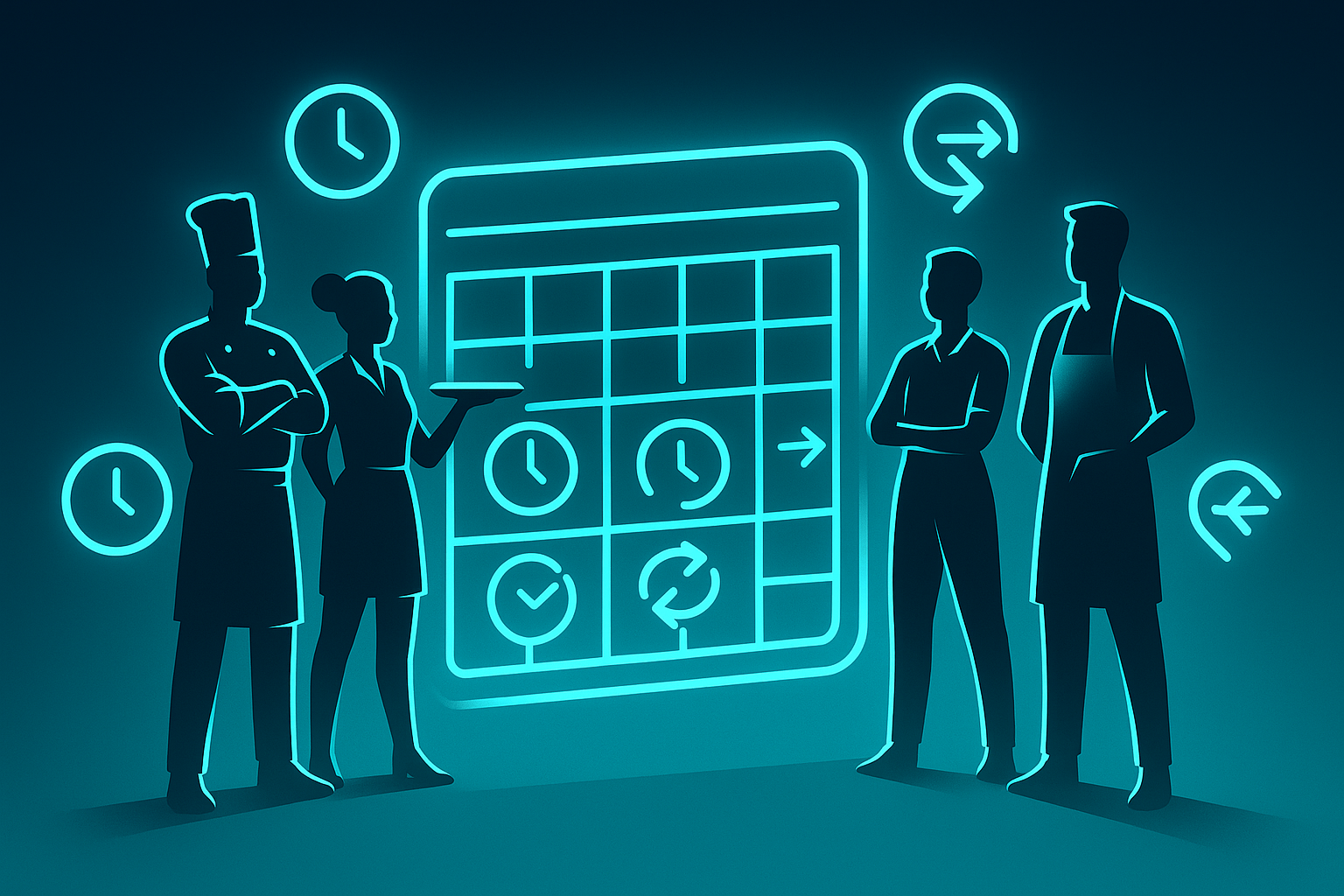
Shift Strategies – Fixed, Rotating, and Split Schedule Benefits
Fixed schedules reduce training time and improve service consistency, with staff turnover rates 15-20% lower than rotating models. However, they limit flexibility during peak demand periods. Rotating schedules distribute weekend and holiday shifts fairly, increasing staff satisfaction but requiring more complex calendar management. Split schedules work best for venues with distinct lunch and dinner services, reducing labor costs by 12-18% while maintaining service quality.
Historical sales data drives optimal staffing decisions. Restaurants using 13-week rolling averages to forecast demand reduce overstaffing by 23% while maintaining guest satisfaction scores above 4.2 stars. Digital restaurant calendars automatically calculate required staff levels based on reservations, events, and historical patterns, eliminating guesswork in schedule creation.
Solving Shift Swap Headaches: Digital Approvals and Real-Time Notifications
Digital approval systems cut absenteeism by 30% through automated swap matching and instant notifications. Staff request swaps through mobile apps, with the system checking qualifications and availability before routing to managers. Four-hour pre-shift cutoffs prevent last-minute disruptions while allowing reasonable flexibility for emergencies.
Real-time notifications keep all team members informed of schedule changes, reducing confusion and missed shifts. Automated reminders sent 24 hours before shifts decrease no-shows by 40%, while backup staff receive immediate alerts when coverage is needed.
Advanced Restaurant Calendar Models: 13-Period Fiscal Calendars and Financial Reporting
13-period fiscal calendars divide the year into thirteen 4-week periods, starting the first Monday of each year. This structure eliminates month-end date variations that skew period-to-period comparisons. Revenue analysis becomes more accurate when comparing identical 28-day periods rather than months ranging from 28-31 days.
Restaurant groups using 13-period calendars report 25% more accurate labor cost analysis and improved budget forecasting. Each period contains exactly four weeks, making weekly trend analysis and staff scheduling more predictable. Implementation requires accounting system integration and payroll vendor coordination, but delivers clearer financial insights for multi-unit operations.
| Calendar Type | Period Length | Comparison Accuracy | Implementation Complexity |
|---|---|---|---|
| Traditional 12-Month | 28-31 days | Variable due to different month lengths | Standard accounting integration |
| 13-Period Fiscal | Exactly 28 days | Precise period-to-period analysis | Requires system reconfiguration |
The transition requires auditing historical financials to establish baseline comparisons and training staff on new reporting cycles. However, restaurants completing the switch report significantly improved decision-making capabilities and clearer performance trends.
Digital Tools & Templates: Powering Restaurant Calendars for Modern Operations
Top Digital Restaurant Calendar Tools
Google Calendar integrates seamlessly with Gmail and Google Workspace, offering robust sharing capabilities and mobile access for $6-12 per user monthly. 7shifts specializes in restaurant scheduling with labor cost tracking and shift trading features, while Restaurant365 provides comprehensive calendar integration with POS and inventory systems.
Selection criteria include POS integration, mobile accessibility, automated notifications, and labor law compliance features. Trial periods allow testing of user adoption rates and workflow integration before committing to annual contracts. Most successful implementations involve testing two platforms simultaneously to compare staff acceptance and operational efficiency.
For a deeper understanding of hospitality management and its impact on restaurant operations, see this overview of hospitality management.
Best Marketing Calendar Templates for Hospitality
Downloadable templates provide structured frameworks for campaign planning, with color-coded categories for different event types. Recurring events like “Wine Wednesday” or “Sunday Brunch” receive permanent calendar slots, while seasonal promotions get planned 6-8 weeks in advance. Template customization includes local market considerations, competitor analysis, and historical performance data.
Pro-level templates integrate social media posting schedules, email campaign timelines, and inventory preparation requirements. This coordination ensures marketing messages align with operational capacity and ingredient availability.
Restaurant Calendar Implementation: Common Pitfalls and Success Factors

The Top 5 Mistakes in Restaurant Calendar Management
- Lack of Integration: Failing to connect the calendar with POS, reservation, and marketing systems leads to double-bookings and missed opportunities.
- Poor Access Controls: Not setting appropriate permissions results in accidental edits or unauthorized changes.
- Ignoring Staff Feedback: Overlooking frontline input reduces adoption and increases scheduling conflicts.
- Manual Data Entry: Relying on paper or spreadsheets increases error rates and administrative burden.
- Insufficient Training: Not training staff on new systems leads to underutilization and resistance to change.
Success factors include phased rollouts, clear communication of benefits, and ongoing support. Hospitality managers who involve staff in the implementation process and provide hands-on training report higher adoption rates and faster ROI. Regularly reviewing calendar performance metrics—such as shift coverage rates, event attendance, and guest satisfaction—ensures continuous improvement and alignment with business goals.
Restaurant Calendars in Action: Case Studies from Hospitality, Events & Beyond
Maria’s boutique hotel restaurant implemented an integrated event calendar linking reservations with upselling opportunities. By coordinating wine tasting events with room service promotions, they achieved 17% higher per-guest revenue and 92% event attendance rates. The system automatically blocks restaurant tables during private events while suggesting alternative dining times to walk-in guests.
A five-location restaurant chain centralized staff scheduling through cloud-based calendars, reducing scheduling complaints by 23% and cutting administrative time by 30%. Cross-location shift coverage became seamless, with staff able to pick up shifts at any location through mobile apps. Labor cost optimization improved by 18% through better demand forecasting across all units.
| Business Type | Challenge | Solution | Measurable Outcome |
|---|---|---|---|
| Boutique Hotel Restaurant | Disconnected event planning | Integrated calendar system | 17% revenue increase per guest |
| Multi-Location Chain | Scheduling inefficiency | Centralized cloud calendar | 23% fewer staff complaints |
| Event-Forward Bar | Low weeknight traffic | Live music + happy hour blocking | 100% increase Thursday footfall |
An event-focused bar coordinated live music bookings with extended happy hour promotions, doubling Thursday night attendance and increasing average spend per guest by 35%. The calendar system automatically adjusts staffing levels and inventory orders based on event attendance projections, eliminating waste while ensuring adequate service capacity.
The Future of Restaurant Calendars: AI Automation, Personalization & Human-Centric Guest Experience
AI-powered restaurant calendar systems predict demand patterns with 85% accuracy, automatically suggesting optimal staffing levels and identifying revenue opportunities. Smart automation integrates reservation data, weather forecasts, and local events to recommend promotional campaigns three weeks in advance. These systems flag potential overbooking situations and suggest table management strategies that maximize capacity without compromising service quality.
Predictive analytics identify guest preferences and dining patterns, enabling personalized event invitations and targeted promotions. AI agents handle routine scheduling tasks—shift assignments, availability tracking, and basic event coordination—while human managers focus on guest relationships and service excellence. This hybrid approach reduces administrative burden by 45% while maintaining the personal touch that defines hospitality excellence.
Human-in-the-loop automation ensures technology enhances rather than replaces personal service. AI systems recommend actions, but experienced managers make final decisions about guest accommodations and staff assignments. Automated calendar management provides data-driven insights while preserving the intuitive, relationship-focused approach that drives guest loyalty and repeat business.
Implementation requires robust data security, compliance with labor regulations, and ongoing staff training on AI-human collaboration. Successful adoption focuses on transparent reporting of system impact, demonstrating clear ROI through improved efficiency metrics and guest satisfaction scores. The future restaurant calendar becomes a strategic asset that amplifies human expertise rather than replacing it.
Conclusion – Choosing, Implementing, and Scaling Your Restaurant Calendar for Real ROI

Effective restaurant calendar management drives measurable business outcomes: 17% revenue increases through coordinated event planning, 30% reduction in scheduling conflicts, and 23% improvement in staff satisfaction. Success requires aligning calendar strategy with core business goals—whether optimizing labor costs, maximizing event revenue, or enhancing guest experience consistency.
The selection framework prioritizes integration capabilities, mobile accessibility, and automation features that reduce administrative burden while improving operational precision. Forward-thinking hospitality managers partner with AI automation specialists to implement systems that augment human expertise, creating competitive advantages through data-driven insights and seamless guest experiences. Ready to transform your restaurant calendar into a revenue-driving asset? Discover how Vynta’s team can help you implement the right solution for your business.
For additional guidance on employment rights and compliance in the hospitality industry, refer to this employment rights resource for hospitality workers.
Frequently Asked Questions
How does integrating staff scheduling, event planning, marketing campaigns, and guest reservations into a single restaurant calendar improve operational efficiency?
Integrating these functions into a single restaurant calendar creates a unified operational hub that streamlines communication and coordination across teams. This reduces scheduling conflicts, optimizes labor allocation based on event demand, aligns marketing efforts with guest bookings, and ultimately enhances service delivery while lowering operational costs.
What are the different types of restaurant calendars and how do they cater to operational, marketing, and guest experience needs?
Restaurant calendars typically fall into three categories: operational calendars focus on staff scheduling and shift management; marketing calendars plan promotional campaigns and event coordination; guest experience calendars track reservations and customer preferences. Each type addresses specific business needs but when combined, they provide a holistic view that drives efficiency, targeted marketing, and personalized service.
What are the advantages of using digital restaurant calendars over traditional formats in 2025?
Digital restaurant calendars offer real-time updates, centralized access across multiple devices, and integration with other systems like POS and CRM. They enable predictive scheduling, automated reminders, and data-driven insights that improve labor cost control and guest satisfaction—advantages that traditional paper or static calendars cannot provide in today’s fast-paced hospitality environment.
How can advanced restaurant calendar models, like 13-period fiscal calendars, support financial reporting and labor cost optimization?
Advanced calendar models such as 13-period fiscal calendars align scheduling and financial reporting into consistent, comparable time blocks. This facilitates more accurate labor cost tracking, budget forecasting, and performance analysis by standardizing periods for payroll and revenue measurement, enabling hospitality managers to optimize staffing and control costs with greater precision.
About The Author
Anas Moujahid is the chief contributing writer & Operations Director for the Vynta AI Blog, where he turns cutting-edge AI automation into measurable business outcomes for mid-market companies.
Vynta AI designs enterprise-grade AI agents that augment rather than replace people—freeing teams to focus on higher-value work while the bots handle the busywork.
We specialise in four service-heavy verticals where AI can move the revenue needle fast: real estate, recruitment, fundraising and hospitality.
Anas started his career architecting AI and automation systems; today he leads operations at Vynta AI, making sure every deployment lands real-world ROI—whether that’s more booked viewings for estate agents, faster placements for recruiters, warmer investor pipelines for fundraisers or happier guests for hotels and restaurants.
Vynta AI delivers results by:
- Building industry-specific agents pre-trained on real-world workflows—no generic chatbots here.
- Integrating seamlessly with existing CRMs, ATSs, PMSs and fundraising platforms—zero rip-and-replace.
- Measuring success in business KPIs (lead-to-close rates, time-to-hire, donor retention, RevPAR) not vanity metrics.
- Providing transparent implementation plans so clients know exactly what to expect, when and why.
- Pairing every AI agent with human-in-the-loop controls to keep quality, compliance and brand voice on point.
Since launch, Vynta AI has helped agencies slash lead qualification time by up to 70 %, recruitment firms cut screening hours in half, fundraising teams triple investor touchpoints and hospitality brands lift guest satisfaction scores by double digits—all while keeping human expertise firmly in the loop.
Anas writes with the same ethos that drives Vynta AI: outcome-focused, jargon-free and grounded in real business value. Expect data-backed insights, practical implementation guides and a clear-eyed view of what AI can—and can’t—do for your organisation.