

buffer app
In today’s competitive business environment, maintaining a consistent and engaging presence across social media is no longer optional. It’s essential for growth. For mid-market businesses, especially those in dynamic sectors like real estate, recruitment, and hospitality, managing multiple social platforms effectively can consume valuable time and resources. This is where social media management tools step in, offering a way to streamline content scheduling, publishing, and analysis. Among these, the buffer app stands out as a popular solution designed to simplify these tasks.
Key Takeaways
- Mid-market companies lose valuable operational capacity when social media management is handled manually across multiple platforms.
- Scheduling and publishing automation through tools like Buffer frees up internal teams to focus on revenue-generating activities.
- Real estate, recruitment, and hospitality businesses stand to gain the most from consolidating their social media workflows into a single dashboard.
- A strong social presence directly supports growth objectives when paired with the right management infrastructure.
As Anas Moujahid, Operations Director at Vynta AI, I’ve seen firsthand how efficiency in operations translates directly to business success. While sophisticated AI agents can automate complex workflows, understanding the foundational tools that support daily operations is equally important. The buffer app provides a practical entry point for businesses looking to organize their social media efforts, allowing teams to focus on strategy and engagement rather than the minutiae of posting. Let’s look at what it offers and how you can start leveraging its capabilities.
What Is the Buffer App? Features, Platforms, and Pricing
The buffer app is a comprehensive social media management platform designed to help businesses and individuals schedule posts, analyze performance, and manage multiple social media accounts from a single dashboard. Its core strength lies in simplifying the often-complex process of content distribution across various networks. With an intuitive interface, it allows users to plan their content calendar, draft posts, and set them to publish automatically at optimal times. This capability is particularly valuable for businesses aiming to maintain a consistent online voice without constant manual intervention. The platform supports a wide array of social media channels, making it a versatile tool for diverse marketing strategies.
Beyond basic scheduling, Buffer offers tools for performance tracking and engagement. Users can monitor key metrics like likes, shares, comments, and click-through rates to understand what content performs best. This data-driven approach enables continuous improvement of social media strategies. While the app is widely recognized for its publishing features, its analytics component provides essential insights into audience behavior and content effectiveness. This dual functionality makes it a more complete solution for social media management, helping users refine their approach and achieve better engagement outcomes across their chosen platforms.
Core Publishing and Analytics Tools
At its heart, Buffer excels in content publishing and performance analysis. The platform allows users to connect multiple social media profiles and schedule posts in advance. You can create posts, add images or videos, and queue them up for automatic distribution. Buffer’s intelligent scheduling feature can suggest optimal posting times based on your audience’s activity patterns, or you can set custom schedules. Once content is published, the analytics dashboard provides clear, digestible reports on how each post and your overall profile is performing. This includes metrics such as reach, engagement rates, and audience growth, offering a clear view of your social media return on investment.
Buffer Free vs. Paid Plans: What You Actually Get
Buffer offers a tiered pricing structure, starting with a free plan designed for individuals or small teams testing the waters. The free plan is quite functional, allowing users to connect up to 3 social channels and schedule up to 10 posts per channel. This is a generous offering for getting started and managing a single business profile or a personal brand. But, as businesses scale their social media efforts, the limitations of the free tier become apparent, particularly regarding the number of connected accounts and the volume of scheduled posts.
Paid plans unlock more advanced features and higher limits. For example, the Essentials plan, a popular choice, typically allows for more connected channels, unlimited scheduled posts, and access to more detailed analytics and team collaboration tools. The pricing scales based on the number of channels and features required, making it adaptable for growing businesses. This structure ensures that users can choose a plan that aligns with their current needs and budget, with the option to upgrade as their social media strategy matures. Understanding these differences is key to assessing if Buffer fits your business’s commercial objectives.
Supported Social Media Channels
Buffer’s versatility is significantly enhanced by the broad range of social media platforms it supports. This ensures that businesses can manage their presence across the most relevant networks for their audience. Officially, Buffer integrates with major platforms including Facebook (Pages and Groups), Instagram (Business Profiles and Creator Accounts), X (formerly Twitter), LinkedIn (Profiles and Pages), Pinterest, and TikTok. The platform continually updates its integrations to accommodate new features and platforms as they emerge in the social media ecosystem. This extensive support means users can consolidate their social media management into one tool, reducing the complexity of juggling multiple native applications or less comprehensive schedulers.
How to Get Started With Buffer: Setup and Mobile Access

Getting started with the buffer app is designed to be a straightforward process, enabling users to quickly begin scheduling content. The initial step involves visiting the Buffer website to create an account. You can sign up using an email address or link your Google account for faster registration. Once your account is created, you’ll be prompted to connect your social media profiles. This involves authorizing Buffer to access your chosen platforms, a standard procedure for such management tools. The platform guides you through connecting accounts for Facebook, Instagram, X, LinkedIn, Pinterest, and TikTok, among others, depending on your plan and needs.
After connecting your social accounts, you can immediately start drafting and scheduling posts. The dashboard provides a clear interface for composing messages, uploading media, and selecting which channels they should be published to. You can add posts to your queue, which automatically publishes them at pre-set times, or schedule them for specific dates and times. For businesses looking to organize their content workflow, Buffer’s calendar view offers a visual representation of upcoming posts, allowing for easy review and adjustment. This structured approach ensures that your social media calendar is managed efficiently from day one.
Step-by-Step Guide to Scheduling Your First Post
To schedule your first post with Buffer, follow these simple steps:
- Sign Up/Log In: Visit buffer.com and create a new account or log into your existing one.
- Connect Social Accounts: Navigate to the ‘Social Channels’ section and click ‘Connect a new channel’. Follow the on-screen prompts to authorize Buffer to access your desired social media profiles (e.g., Facebook Page, Instagram Business, X account).
- Create a Post: Click on ‘Create Post’ in your dashboard. You’ll see a composer window where you can type your text, upload images or videos, and add links.
- Select Channels: Below the composer, select the social media channels you want this post to appear on.
- Schedule or Publish: You have a few options:
- Add to Queue: This posts your content at the next available time slots in your pre-defined queue.
- Schedule for Later: Click the calendar icon to pick a specific date and time for your post to go live.
- Publish Now: For immediate posting.
- Review: Your scheduled post will appear in the ‘Queue’ or ‘Scheduled Posts’ tab, where you can review, edit, or reorder it before it publishes.
This process allows for precise control over your content distribution, ensuring your message reaches your audience at the right moment.
Buffer App Download: iOS, Android, and Desktop Availability
Buffer understands that flexibility is key for busy professionals. To accommodate this, they offer dedicated mobile applications for both iOS and Android devices. The buffer app download for iOS can be found on the App Store, where it has garnered a strong rating, with over 34,000 ratings averaging 4.7 stars, indicating high user satisfaction. Similarly, the Android version is available on the Google Play Store, having seen over 1 million downloads, underscoring its widespread adoption among Android users. These mobile apps provide core functionality, allowing users to schedule posts, manage their queues, and even approve content on the go.
While there isn’t a traditional desktop application to download for PC or Mac, Buffer’s web-based platform is fully optimized for desktop browsers. This means you can access all features directly through Chrome, Firefox, Safari, or other web browsers without needing a separate installation. For users who prefer a desktop experience, bookmarking the Buffer web app provides immediate access. This approach ensures that whether you’re working from your computer or managing social media from your smartphone, you have a strong and accessible toolset at your fingertips.
Mobile Posting Convenience
With an average rating of 4.7 stars on iOS and over 1 million downloads on Android, the Buffer mobile apps enable users to manage their social media presence from anywhere, ensuring timely posts and engagement even when away from their desks.
Beyond Scheduling: Buffer AI Assistant and Native Integrations
Using Buffer AI Assistant for Content Repurposing
The buffer app extends beyond simple post scheduling by incorporating an AI Assistant that supports content creation and repurposing. This feature helps users generate fresh variations of existing posts, optimize captions, and tailor messaging for different social platforms. The AI Assistant streamlines content workflows by suggesting improvements in tone, structure, and engagement potential, reducing the manual effort required to craft multiple versions of similar posts. For businesses managing several social accounts, this capability saves time and maintains brand consistency without sacrificing creativity.
Moreover, the AI Assistant can analyze previously published content and recommend repurposing opportunities based on post performance data. This ensures that high-performing messages receive extended reach through strategic resharing or slight modifications that keep the content relevant. By automating parts of the content lifecycle, Buffer’s AI Assistant supports a more dynamic and efficient social media presence for mid-market companies that may not have dedicated content teams.
Start Page and Third-Party Integrations (Canva, Zapier)
The buffer app enhances its core scheduling features through native integrations with popular tools like Canva and Zapier, creating a more powerful marketing ecosystem. Canva integration allows users to design graphics and visual content directly within Buffer’s interface, accelerating the creation of eye-catching posts without switching apps. This integration is valuable for businesses that prioritize visual storytelling but need to reduce the friction between design and publishing.
Zapier connections expand Buffer’s automation potential by linking it with thousands of third-party applications. For example, users can set up workflows that automatically pull content from RSS feeds, generate alerts for new blog posts, or trigger post scheduling based on CRM updates. These integrations enable semi-automated content management pipelines that combine human strategy with machine execution. This flexibility makes Buffer a practical choice for organizations aiming to streamline social media operations while preserving control over messaging and timing.
Industry-Specific Workflows: Using Buffer App in Real Estate, Recruitment, and Hospitality
Real Estate: Automating Property Listings and Open House Announcements
Real estate agencies can harness the buffer app to automate the distribution of property listings and open house announcements across multiple platforms. By scheduling posts in advance, agents ensure consistent exposure for new and existing listings without manual daily posting. This approach supports timely updates aligned with market activity and open house schedules, maximizing visibility to prospective buyers.
Buffer’s calendar and queue management simplify coordinating promotional content with other marketing campaigns, such as email newsletters or virtual tours. Integration with Canva allows real estate teams to create branded visuals for listings, enhancing the appeal of social posts. Automating these routine tasks frees agents to focus on client relationships and negotiations, directly improving sales efficiency.
Recruitment: Sourcing Candidates and Building Employer Brand
Recruitment firms benefit from Buffer by scheduling targeted content that attracts candidates and strengthens employer branding. Regularly posting job openings, company culture highlights, and industry insights keeps talent pipelines active and engaged. The AI Assistant helps tailor messaging for specific platforms, such as LinkedIn for professional outreach or Instagram for employer branding visuals.
Buffer’s integrations with applicant tracking systems and content creation tools can automate parts of the recruitment marketing funnel. For example, new job listings can trigger scheduled posts across channels, ensuring broad visibility without administrative overhead. This reduces time spent on repetitive marketing tasks and improves the quality and quantity of candidate responses.
Hospitality: Managing Guest Experience and Upselling Promotions
In the hospitality sector, Buffer supports guest engagement by managing social media campaigns that promote events, special offers, and seasonal promotions. Scheduling posts ahead of peak booking periods ensures timely communication to loyal customers and prospective guests. Visual content produced via Canva integration enhances the appeal of promotions, encouraging bookings and upsells.
Hospitality businesses can also use Buffer to share guest testimonials, behind-the-scenes stories, and local attractions to create a more personalized online presence. The ability to queue posts and adjust schedules based on campaign performance data allows marketing teams to optimize their outreach without constant manual effort. This leads to improved guest satisfaction and revenue growth through more effective digital engagement.
- Real Estate: Automate listing posts, integrate branded visuals, and align social media with sales events.
- Recruitment: Schedule job ads, build employer brand, and connect candidate sourcing with social channels.
- Hospitality: Promote offers, share guest stories, and manage seasonal campaigns with scheduled posts.
Buffer App vs. AI Automation: Building a Scalable Content Engine
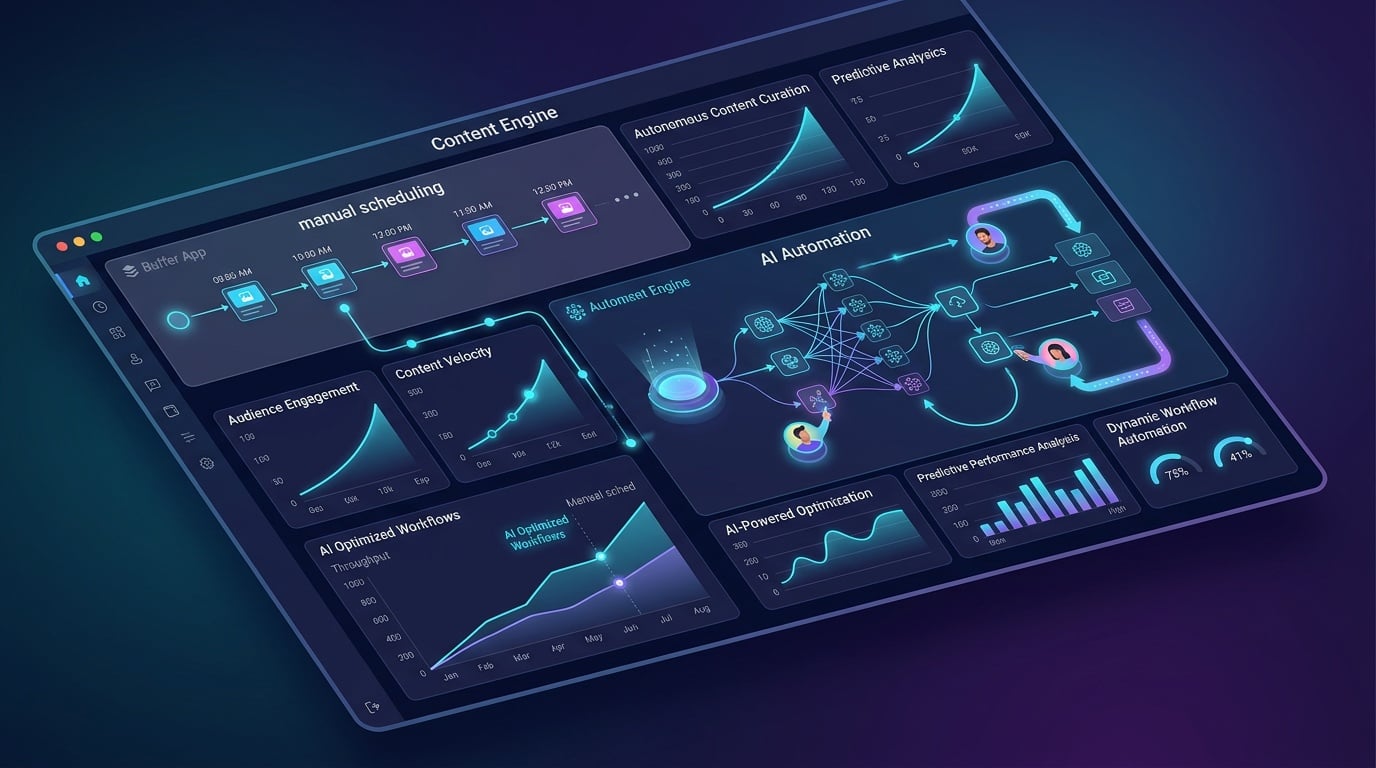
The Limitations of Manual Social Media Schedulers
The buffer app offers a user-friendly platform for scheduling and publishing social media posts, making it a solid choice for businesses seeking to maintain a consistent online presence. Its intuitive queue system and cross-platform support allow marketers to plan content distribution effectively across multiple channels. But, when growth demands scale, manual scheduling tools encounter inherent limitations. Managing increasing volumes of content across diverse accounts requires significant human oversight, which can become a bottleneck for teams lacking dedicated social media staff.
Manual schedulers like Buffer depend on users to create, edit, and approve every piece of content before publishing. This process can slow down content velocity and create delays in responding to real-time trends or audience engagement signals. Additionally, while Buffer includes analytics, interpreting data to refine content strategy still demands manual effort and expertise. For businesses aiming to optimize campaign performance and operational efficiency, these manual tasks consume time that could otherwise focus on higher-value activities such as strategy and creative development.
How AI Agents Connect With Buffer for Hands-Off Publishing
Integrating enterprise-grade AI automation with the buffer app transforms social media management from a manual chore into a scalable content engine. AI agents can autonomously generate content drafts based on brand guidelines, historical performance data, and audience insights. These agents take over repetitive tasks such as content ideation, variation creation, and scheduling, drastically reducing the workload on marketing teams. This approach enables businesses to maintain a high volume of relevant posts without sacrificing quality or brand voice consistency.
Beyond content creation, AI automation can facilitate approval workflows by routing drafts to relevant stakeholders with contextual recommendations and compliance checks. This ensures governance without slowing down publishing cycles. Once posts are live, AI algorithms analyze real-time engagement metrics and adjust future content plans to maximize reach and conversion. By connecting AI agents to Buffer’s publishing infrastructure, organizations achieve fully automated end-to-end social media operations that scale dynamically with business needs.
Pros and Cons of Buffer App and AI Automation Integration
Pros
- Buffer provides a reliable, easy-to-use scheduling interface with broad platform support.
- AI automation accelerates content generation and approval, reducing manual workload.
- Automated performance analysis enables continuous optimization of social media strategies.
- Integration of AI agents with Buffer supports consistent brand messaging at scale.
- Improved operational efficiency frees teams to focus on strategic initiatives.
Cons
- Buffer alone requires manual input for content creation and scheduling.
- Dependence on human oversight slows reaction times to trends and audience feedback.
- AI integration demands upfront investment in technology and training.
- Complex workflows may require customization beyond Buffer’s native capabilities.
- Smaller teams may face challenges managing AI-driven content governance effectively.
Incorporating AI-driven automation alongside the buffer app enables mid-market businesses to move beyond basic scheduling towards a scalable, data-informed content engine. This synergy addresses the operational challenges of manual social media management, unlocking faster content cycles and deeper audience engagement. For organizations committed to measurable revenue growth and efficiency, combining Buffer’s publishing strengths with AI agents offers a practical path to sustainable social media success.
Frequently Asked Questions
What does the Buffer app do?
Buffer app is a social media management platform that helps businesses schedule posts, analyze performance, and manage multiple social media accounts from one dashboard. As an operations professional, I appreciate how it allows teams to plan content calendars, set automatic publishing at optimal times, and track key metrics like engagement rates and audience growth without constant manual intervention.
Is the Buffer app legit?
Yes, Buffer is a legitimate and well-established social media management platform trusted by businesses worldwide. The platform offers reliable publishing tools, analytics reporting, and supports major social networks including Facebook, Instagram, LinkedIn, X, Pinterest, and TikTok. Its tiered pricing structure and functional free plan make it a credible option for businesses of various sizes.
Is Buffer a free app?
Buffer offers a free plan that allows users to connect up to 3 social channels and schedule up to 10 posts per channel. This free tier provides a practical starting point for individuals or small businesses testing social media management. Paid plans unlock additional features like unlimited scheduling, advanced analytics, and team collaboration tools as your needs expand.
How much does Buffer cost per month?
Buffer pricing starts at $0 for the free plan, with paid plans beginning around $6 per month per channel for the Essentials plan. The Advanced plan costs approximately $12 per month per channel and includes features like draft approvals and extended analytics history. Pricing scales based on the number of channels and features your business requires.
What social media platforms does Buffer support?
Buffer supports major social media platforms including Facebook Pages and Groups, Instagram Business Profiles, X (formerly Twitter), LinkedIn Profiles and Pages, Pinterest, and TikTok. This broad integration range allows mid-market businesses to consolidate their social media management into a single tool rather than juggling multiple native applications or less capable schedulers.
Can Buffer analytics improve social media strategy?
Buffer provides analytics tools that track metrics like reach, engagement rates, click-through rates, and audience growth to help businesses understand what content performs best. The platform’s intelligent scheduling feature suggests optimal posting times based on audience activity patterns. This data-driven approach enables continuous refinement of social media strategies for better engagement outcomes.
Is Buffer suitable for growing mid-market businesses?
Buffer scales with businesses through its tiered pricing structure, from a free plan for individuals to advanced plans for growing teams. The Essentials plan supports up to 8 social channels with unlimited scheduling, while team collaboration tools accommodate expanding operations. This structure allows businesses to upgrade as their social media strategy and operational requirements mature.