

Best practices for choosing recruitment automation software
Choose recruitment automation software by starting with measurable business outcomes. Define the administrative work limiting recruiter capacity, confirm the integrations your team needs, test screening quality with realistic profiles, and set targets for time-to-hire, candidate response rates, interview attendance, and placements.
Key Takeaways
- A dedicated emergency fund can help separate emergency savings from everyday spending.
- Start with a realistic first milestone, then build toward several months of essential expenses over time.
- Keep the money accessible, review it regularly, and avoid using it for planned purchases.
At Vynta AI, we assess automation across the recruiting workflow: application intake, CV processing, candidate matching, outreach, interview scheduling, database reactivation, and client submission materials. The goal isn’t to remove recruiters. It’s to give consultants more time for candidate relationships, hiring-manager communication, and decisions that require professional judgment.
What is recruitment automation software?
Recruitment automation software combines artificial intelligence, workflow rules, and integrations to reduce repetitive work across talent acquisition. A suitable platform can collect applications, parse resumes, identify potential matches, send tailored messages, coordinate interviews, and update an applicant tracking system (ATS). Effective software supports human review instead of making unchecked hiring decisions.
The right selection process starts with the current workflow. A permanent-placement agency may prioritize candidate sourcing and database reactivation, while a high-volume staffing firm may need rapid CV processing, qualification filters, availability checks, and interview scheduling. The software should address the bottleneck that affects capacity or revenue most.
Agentic Systems for Recruitment is designed for firms that need broader workflow coverage without adding administrative headcount. The system collects and processes applications from CV Library, Indeed, Reed, TotalJobs, and LinkedIn. Vynta reports processing more than 100,000 CVs per day, screening candidates in under 10 seconds, and achieving 85% candidate matching accuracy. Agencies should validate these measures against their own roles and review standards.
What business benefits should recruitment automation deliver?
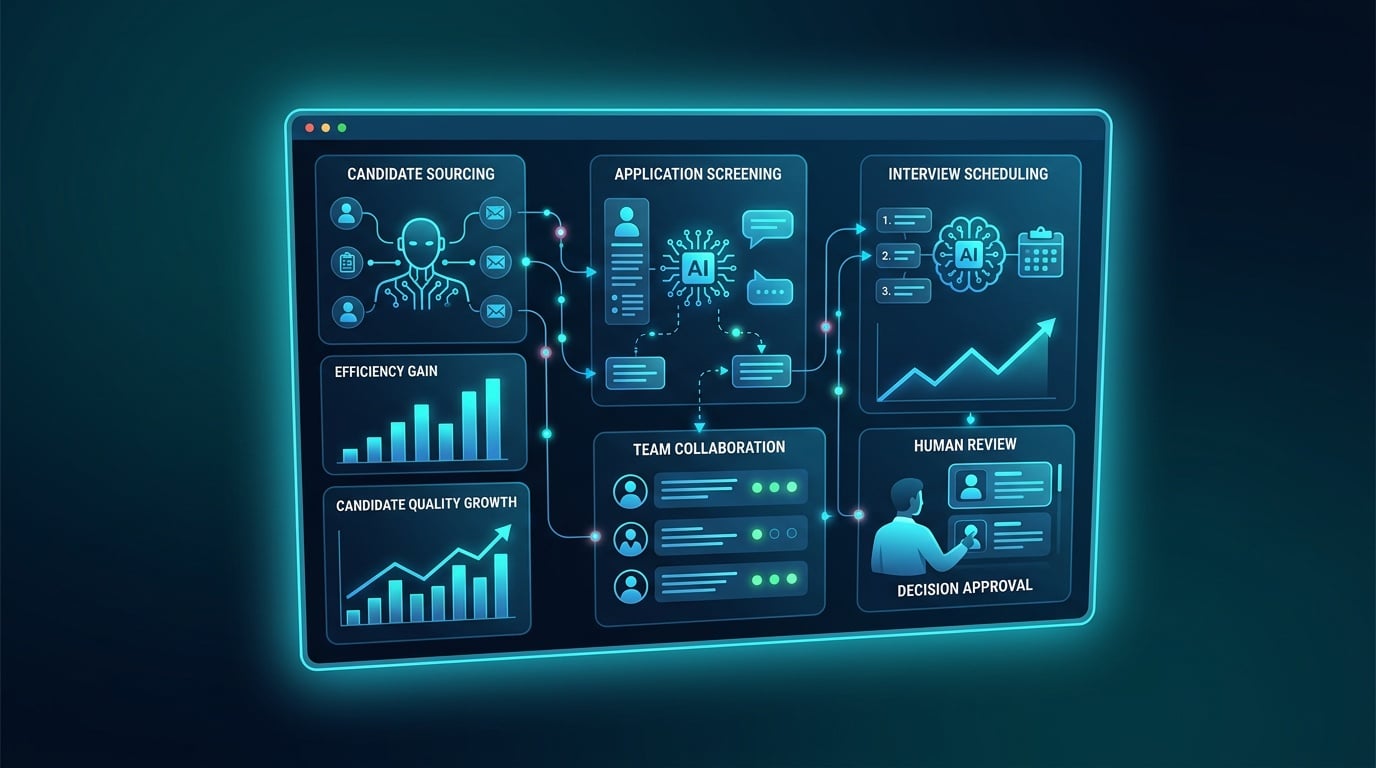
Recruitment automation should create capacity, improve consistency, and protect candidate experience. Measure its value through administrative hours saved, faster screening, more completed interviews, stronger response rates, and additional placements. Not through the number of automated actions alone.
Recruiters can spend up to 23 hours per week on administrative tasks that may be automated, according to research summarized by SelectSoftwareReviews. Recovering part of that time can support sourcing, screening conversations, client development, and offer management.
Standardized intake rules reduce delays between application receipt and first review. Automated reminders can reduce missed interviews, while structured records make handoffs easier between sourcing specialists, account managers, and recruiters. Candidate experience remains a human responsibility: 78% of candidates say a positive interview experience influences their decision to accept an offer, according to research cited by Recruit CRM.
Screening recommendations should support recruiter judgment. AI-driven screening can increase quality-of-hire by 30% when combined with human review, according to findings reported by People Managing People. Recruiters still need to assess qualifications, career history, context, and communication quality, while monitoring false positives and unsuitable criteria.
Agentic Systems for Recruitment report approximately two hours saved per hire, a hiring-cycle reduction of more than 60%, and placement growth of more than 50% after implementation. These figures should be treated as reported outcomes, not guaranteed results; performance depends on data quality, workflow design, role complexity, and adoption.
Other measurable opportunities include an 18% dormant ATS database reactivation rate and a 33% reduction in related administrative work. Automated engagement through WhatsApp Business API and other channels can support follow-up, while interview coordination handles scheduling, confirmations, reminders, and preparation materials. Branded candidate profiles and client submission documents can reduce manual formatting work.
How should you choose recruitment automation software?
The selection process should follow five steps: map the workflow, quantify the bottleneck, test integrations, assess screening quality, and run a controlled pilot. This sequence links the purchase to operational and commercial outcomes instead of encouraging a feature-led decision.
- Map the workflow. Document application sources, resume parsing, qualification rules, recruiter review, outreach, interview scheduling, ATS updates, and client submissions.
- Set a baseline. Record time spent per hire, screening turnaround, interview attendance, response rate, database reactivation, and placements.
- Test the ATS connection. Ask vendors to demonstrate data synchronization, duplicate handling, permissions, activity history, and error recovery inside your existing system.
- Assess screening quality. Use anonymized resumes that include career changes, incomplete applications, transferable skills, and candidates who narrowly miss a stated requirement.
- Run a limited pilot. Start with a small recruiter group and one job category. Review message quality, complaints, opt-outs, screening overrides, interview attendance, and ATS accuracy each week.
Agentic Systems for Recruitment covers application intake, CV processing, candidate matching, outreach, database reactivation, interview coordination, and branded client documents. Its screening speed and matching process should still be assessed against your own criteria, response standards, and human review policy before deployment.
| Evaluation area | Evidence to request | Why it matters |
|---|---|---|
| ATS connectivity | Demonstration of two-way records, status changes, notes, and duplicate prevention | Prevents fragmented candidate data and manual re-entry |
| Screening quality | Test results across qualified, borderline, and unsuitable profiles | Reduces false positives and protects recruiter judgment |
| Candidate communication | Editable message templates, reply handling, opt-outs, and escalation rules | Supports relevant engagement without sending generic outreach |
| Implementation support | Named onboarding owner, data migration plan, training, and security documentation | Reduces adoption risk and exposes vendor accountability |
| Commercial terms | Clear pricing, contract terms, payment schedule, and cancellation conditions | Helps agencies avoid unclear commitments and upfront payment scams |
Before signing, ask how the vendor handles privacy, consent, audit trails, bias monitoring, EU AI Act obligations, LinkedIn policy restrictions, and relevant legal precedent, including the Workday case. Agentic Systems for Recruitment can support a measured rollout with automated engagement through WhatsApp Business API and other channels, while recruiters retain control over qualifications, communication, and progression decisions.
Frequently Asked Questions
How do I evaluate recruitment automation software for my team’s needs?
Start with your agency’s workflow, recruiter capacity, hiring volume, and commercial priorities. Identify the tasks consuming the most time, such as resume review, candidate sourcing, outreach, interview coordination, or ATS administration. Ask each vendor to demonstrate those processes using anonymized records that reflect your roles and qualification standards. Compare screening accuracy, recruiter override rates, candidate response quality, reporting, integration depth, implementation support, and total cost of ownership.
Which features are essential, and which are optional?
Essential capabilities usually include ATS integration, resume parsing, configurable screening criteria, candidate search, activity tracking, consent management, recruiter review controls, and reliable reporting. Communication tools should support personalized templates, reply detection, opt-outs, and escalation to a human consultant. Interview scheduling, reminders, database reactivation, and job board connections can provide meaningful value when they match your operating model. Features such as advanced dashboards or additional channels are optional if they do not improve a defined KPI.
How can I prevent generic AI outreach from harming candidate engagement?
Keep messaging tied to the candidate’s skills, career preferences, location, availability, and the specific role. Set rules for tone, frequency, follow-up timing, and escalation. Review a sample of messages before launch, then monitor reply quality, opt-out activity, complaints, and booked conversations. Automation should stop when a candidate asks a complex question, expresses uncertainty, or requests human contact. Personalization depends on accurate profile data and thoughtful workflow design, not message volume alone.
What mistakes should recruitment teams avoid during implementation?
Common errors include automating an undocumented process, importing inaccurate records, using vague qualification rules, skipping recruiter training, and measuring activity rather than placement outcomes. A controlled pilot can expose false positives, duplicate profiles, broken status updates, and unsuitable messaging before wider deployment. Establish ownership for data quality, compliance reviews, performance monitoring, and process changes. Also verify contract terms, security documentation, payment schedules, cancellation rights, and vendor support contacts before committing funds.
How do I ensure the software works with my existing ATS?
Request a live demonstration of data flowing between the automation platform and your ATS. Test candidate creation, status changes, notes, duplicate prevention, permissions, consent records, interview updates, and error handling. Confirm which integrations are native, which require middleware, and which involve manual exports. The vendor should document setup responsibilities, data migration, access controls, retention policies, and support procedures. Do not approve deployment until recruiters can verify that records remain accurate across every connected workflow.